
🎒 Jaksam Inventory: The Inventory Your Players Open 200 Times a Night
Your players open the inventory more than any other menu on your server
Every robbery, every job, every deal and every shootout goes through it. When it is slow, ugly or confusing, players feel it all night long. When it is good, nobody even thinks about it, they just play
And switching inventory sounds like a nightmare: items lost in the migration, scripts that stop working, a weekend of config files and a Discord full of angry players
Jaksam Inventory is built to make that switch easy. Import your items and player inventories in a few clicks, keep the scripts you already run working, and set everything up from an in game panel. Then give your players trunks, backpacks, weapon attachments they can see, shops, stashes, dumpsters and a look they pick themselves
Showcase Video Click to watch the script in action here!
💡 Why Jaksam Inventory?
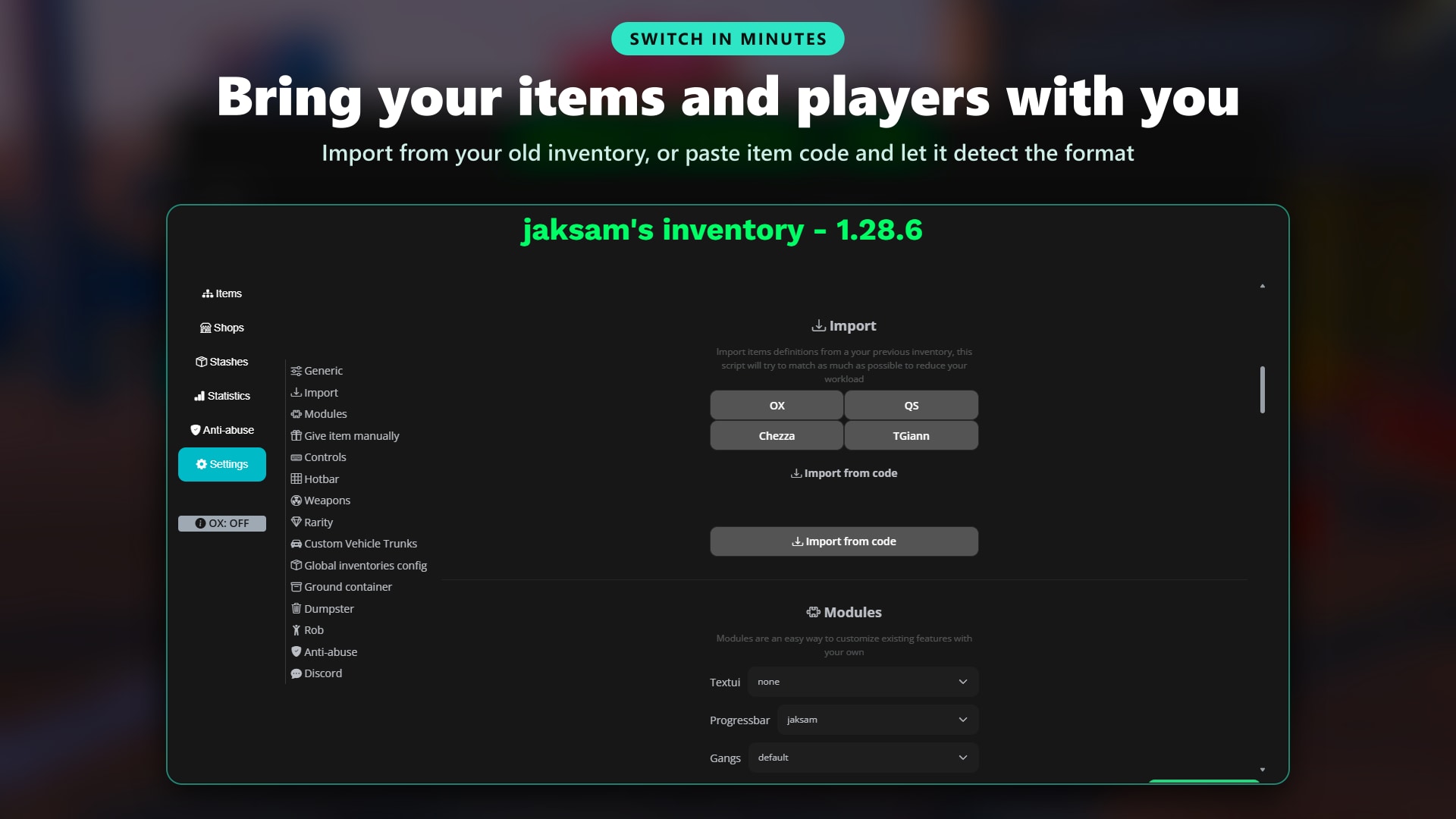
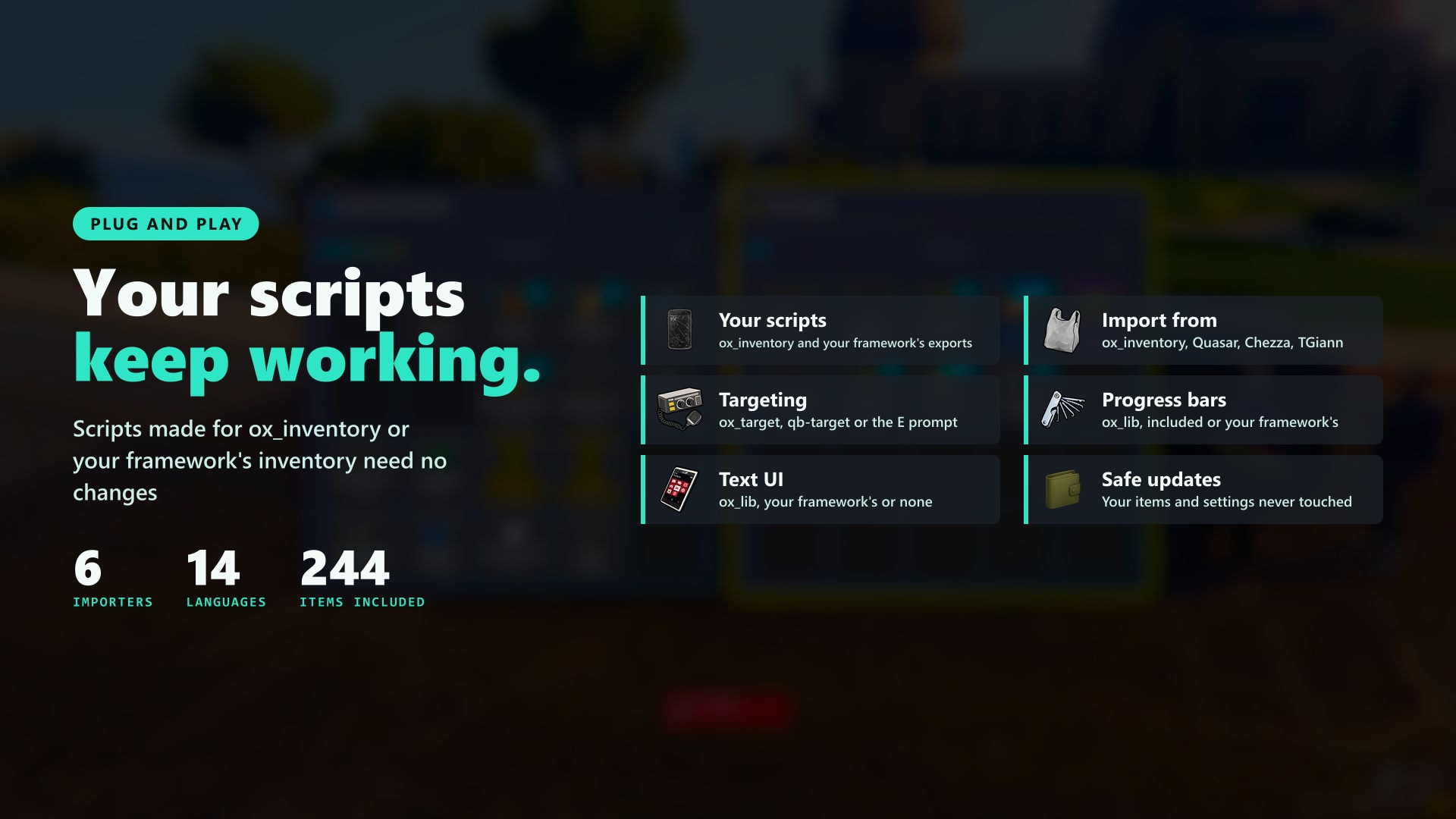
- Switch without losing anything. Import items, player inventories, stashes, shops and vehicles from ox_inventory, Quasar, Chezza, TGiann or your framework's own inventory, or paste item code and let the importer detect the format
- Your scripts keep working. Scripts written for ox_inventory or for your framework's inventory keep calling the exports they know, Jaksam Inventory answers them
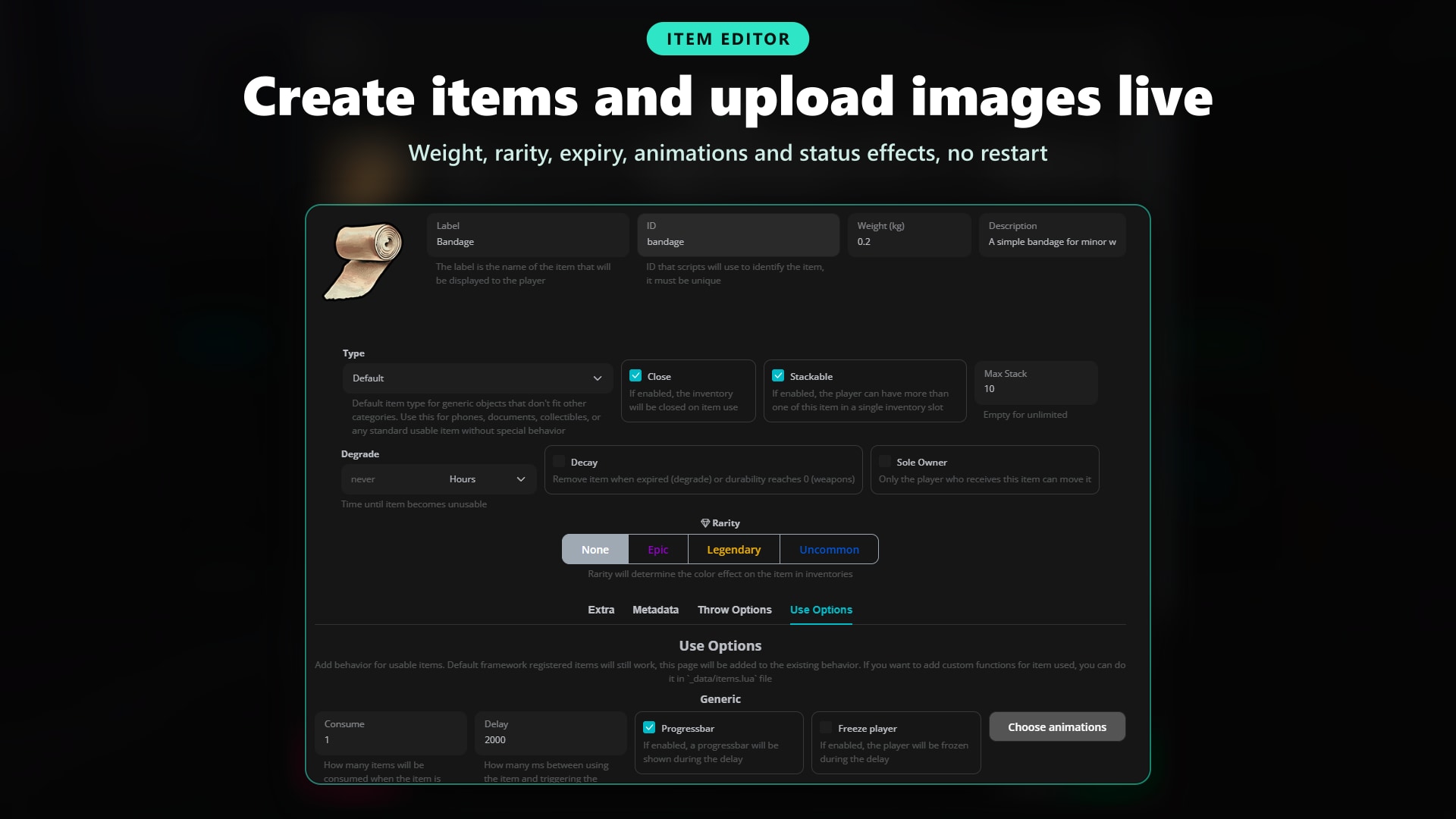
- Everything set up in game. Create and edit items, upload their images, place shops and stashes and change every setting from the in game panel. No restart to see a change, and any item is one drag away in the Omnipack
- Updates never touch your work. Your items, images, settings and colours live in a separate data folder, so updating means replacing one folder and nothing else
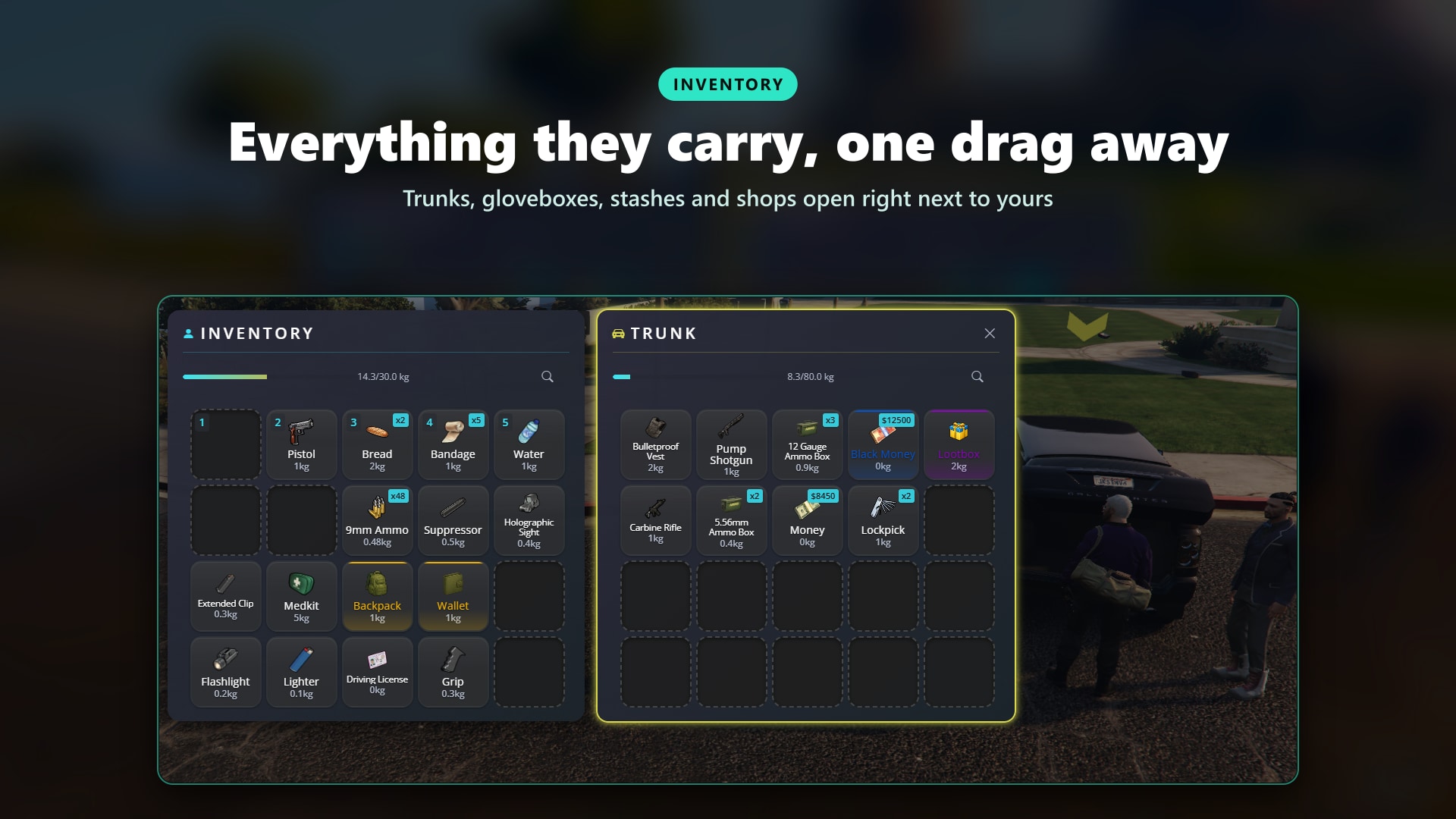
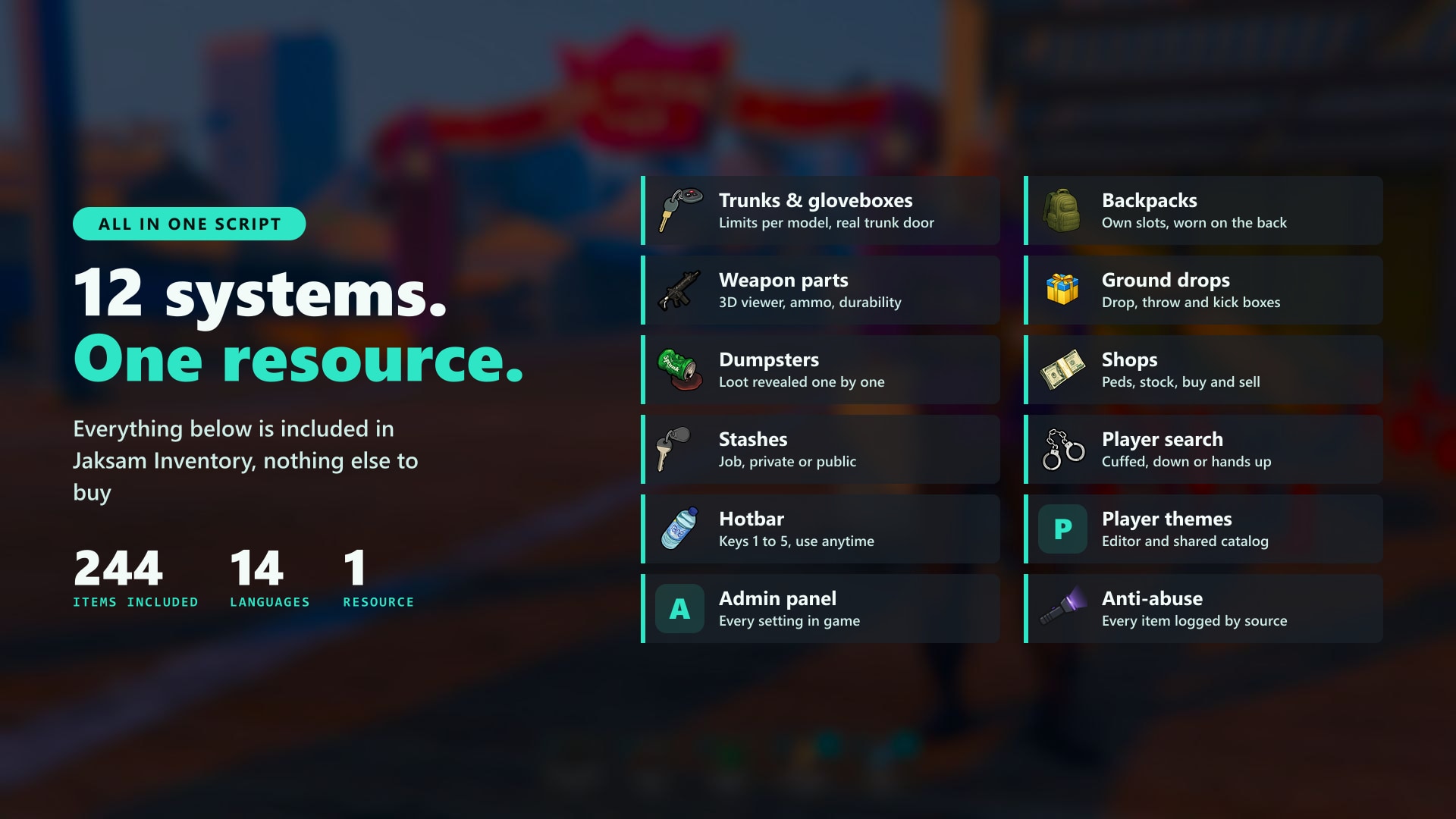
- More than slots and weight. Trunks and gloveboxes, backpacks worn on the back, ground drops you can kick, dumpsters, shops, stashes, player searches and items you can throw
- Weapons done right. Ammo and ammo boxes, durability, serial numbers and attachments mounted from a 3D viewer where players see every part on the weapon
- A look for every player. A theme editor with live preview, and a catalog of themes ready to use shared by other servers, tested with one click
- Know who is cheating. Every item added to a player is logged with the script that gave it, and players with unusual numbers show up on a chart
🛒 Get Jaksam Inventory Now!
🚗 Trunks & Gloveboxes
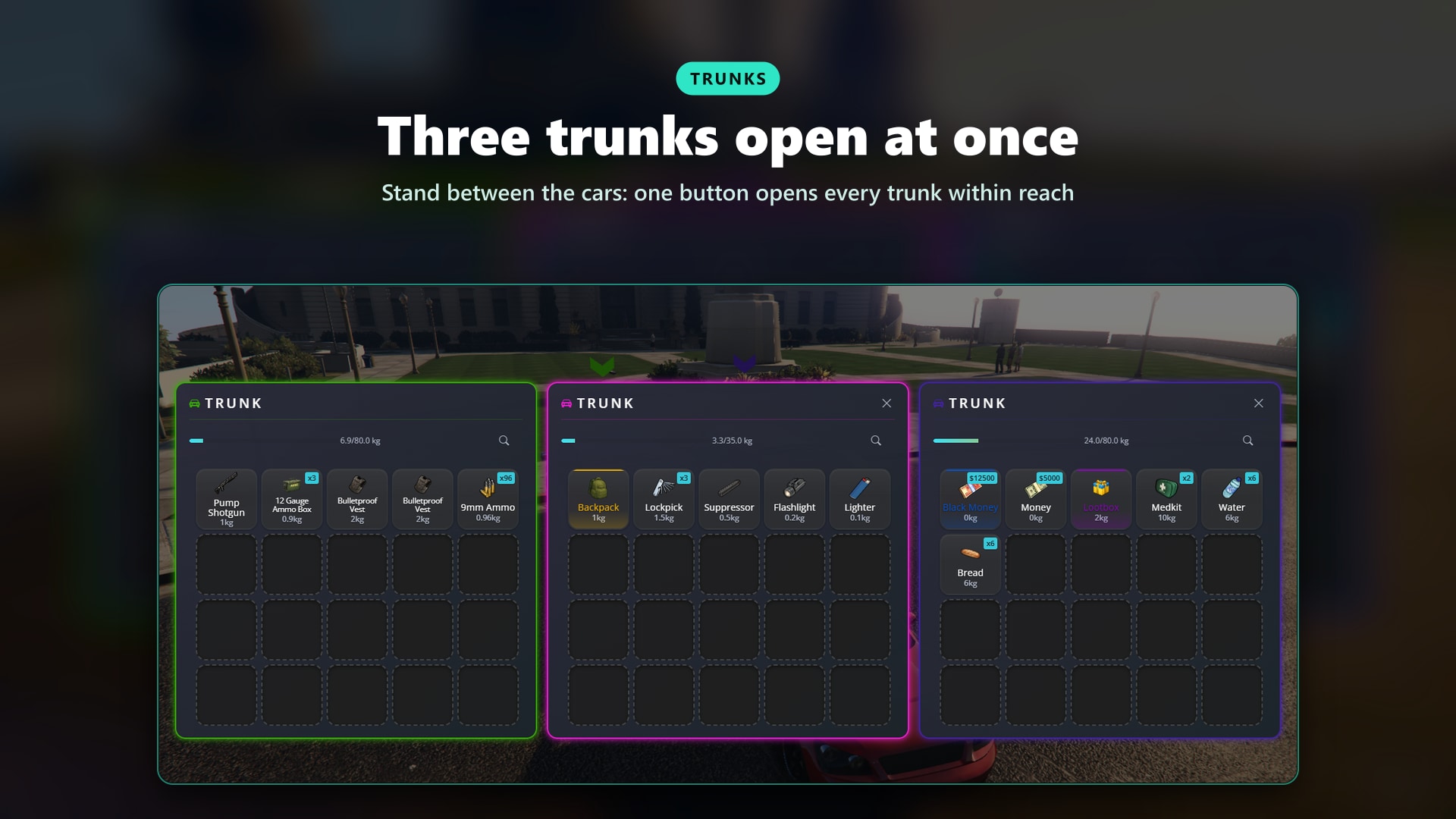
Every vehicle carries its own load. Walk to the back of a car, open the inventory and the trunk is right there next to yours.
More on Vehicles
- Several Trunks at Once: Stand between parked cars and one button opens every trunk within reach
- Real Trunk Door: The trunk opens with an animation and a marker above the vehicle, and closes when you walk away
- Gloveboxes: For the driver and the front passenger only
- Limits per Vehicle: Slots and weight per model or class, vehicles with no trunk, trunks in the front for sports cars
- Custom Trunk Position: An in game tool to set where the trunk is on any modded vehicle
- Saved for Owned Vehicles: Player and script vehicles keep their trunk, NPC cars stay temporary
🔫 Weapons & Attachments
Weapons that live in the inventory, not in a wheel. Ammo, durability and attachments are part of the item, so a dropped or stolen weapon keeps them.
More on Weapons
- 3D Attachment Viewer: See the weapon up close and mount scopes, suppressors, grips, clips, flashlights and finishes from its parts
- Ammo & Ammo Boxes: Drag ammo on a weapon to load it, reload with a key, refill boxes with loose rounds
- Special Magazines: Tracer, incendiary, hollow point and more, with the old rounds refunded
- Durability: Weapons wear out with use and stop firing, or break for good if you want
- Serial Numbers: Generated on every weapon
- Holster Animations: Different equip animations per job
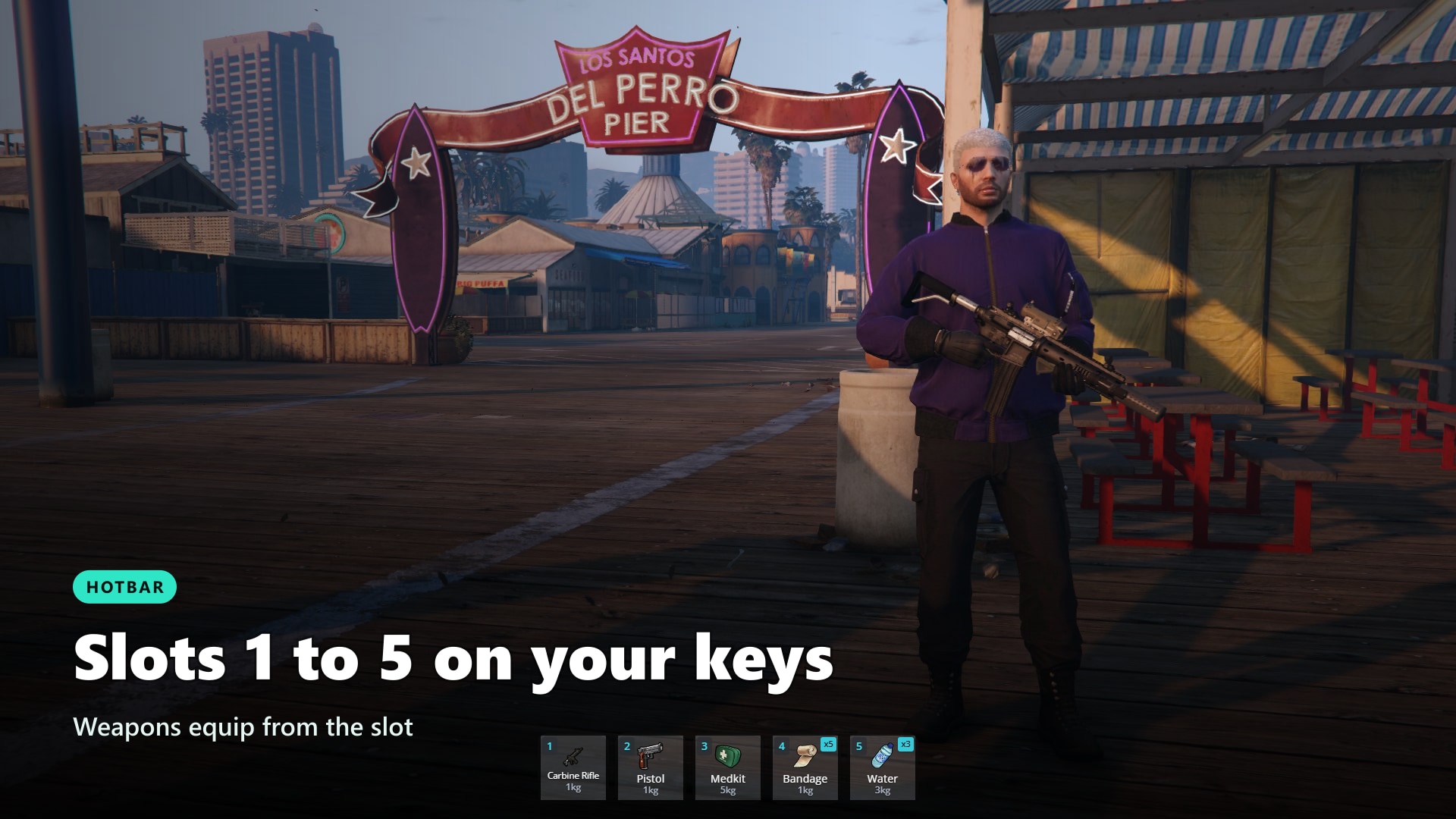
- Hotbar: Slots 1 to 5 on the number keys, plus an optional radial weapon wheel
- Police Only Weapons: Weapons that only the police can carry
🎒 Backpacks & Containers
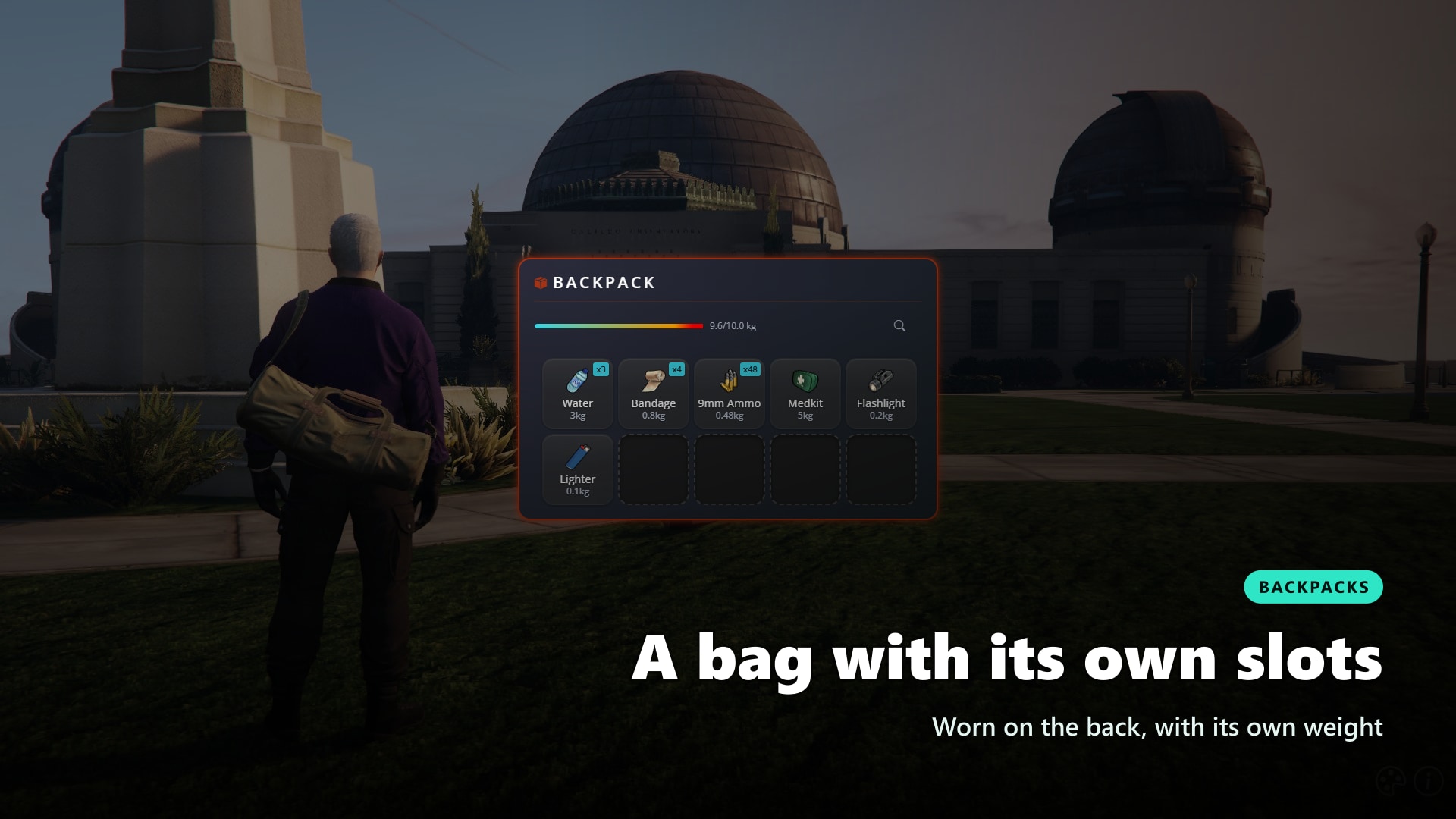
Bags your players can see. A backpack is an item with its own slots, and it shows up on the player's back while they carry it.
- Own Slots and Weight: Set per container item, with allowed or blocked items
- Visible on the Player: A clothing piece or a prop on the back
- Extract All and Rename: Empty a bag in one click or give it a name
- Wallets and More: Any container you create, like a wallet that only takes cards and cash
📦 Ground Drops, Throwing & Dumpsters
Items exist in the world. Drop something and a box appears on the ground, throw it and it lands where you aimed.
- Ground Boxes: Dropped items go in a box anyone nearby can open, saved or temporary as you prefer
- Kick the Box: Push a dropped box away with a kick
- Throwing: Aim high, medium or low and throw weapons and items, the landing spot becomes a ground box
- Dumpsters: Search the dumpsters of the map for random loot, revealed item by item
- Automatic Cleanup: Old boxes nobody touched are removed after the days you choose
🤝 Give, Search & Rob
Player to player, the way it should feel. Hold ALT and drag an item onto the player in front of you to give it.
- Give by Dragging: Hold ALT while dragging and drop the item on a nearby player, or use the Give button
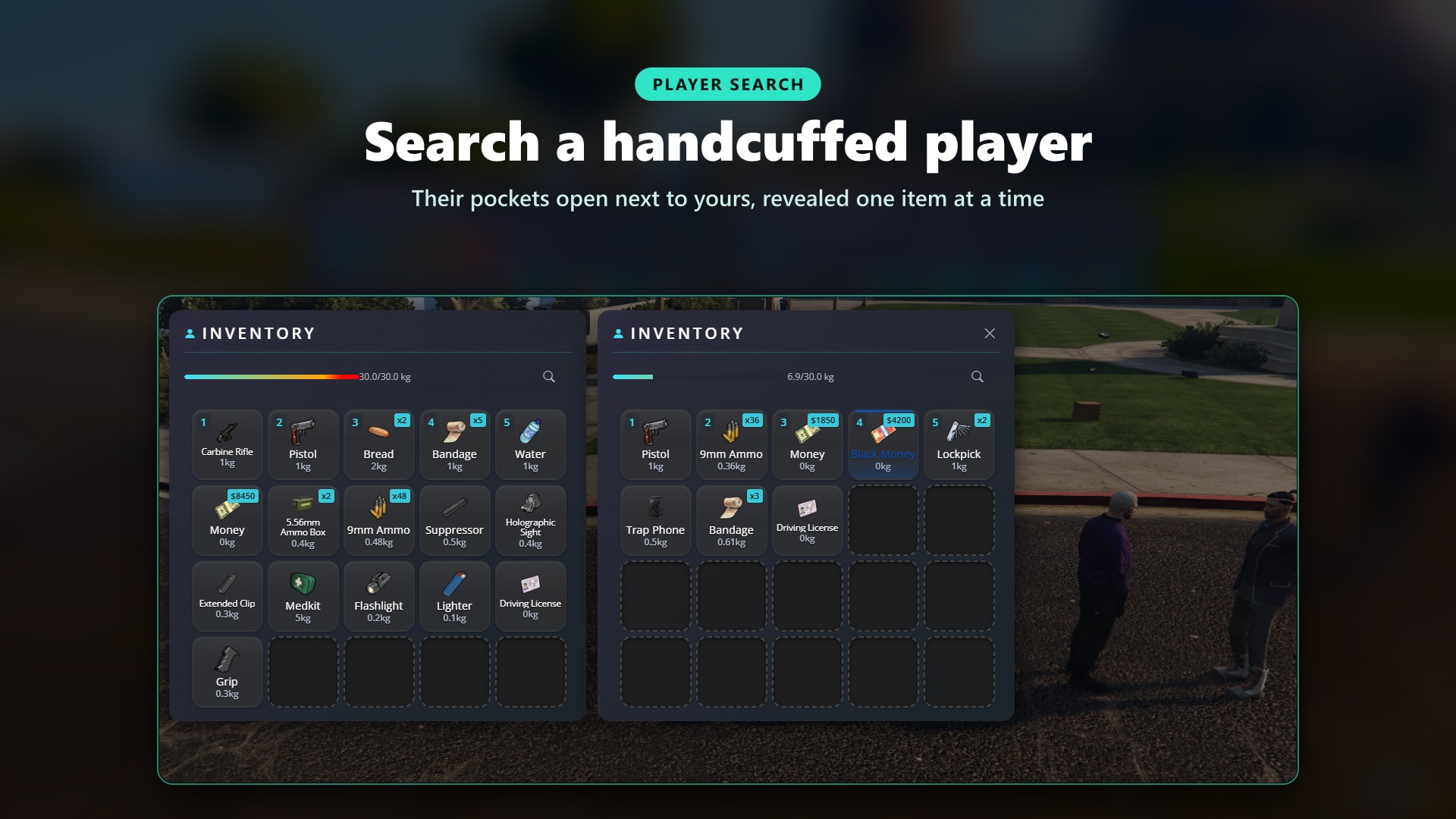
- Search Players: Open the inventory of a player who is dead, handcuffed or has their hands up
- Jobs That Can Search: Let the jobs you choose search anyone
- Items Revealed One by One: The searcher sees the pockets emptied item by item
- Owner Only Items: Items that only the player who received them can move
🏪 Shops & Stashes
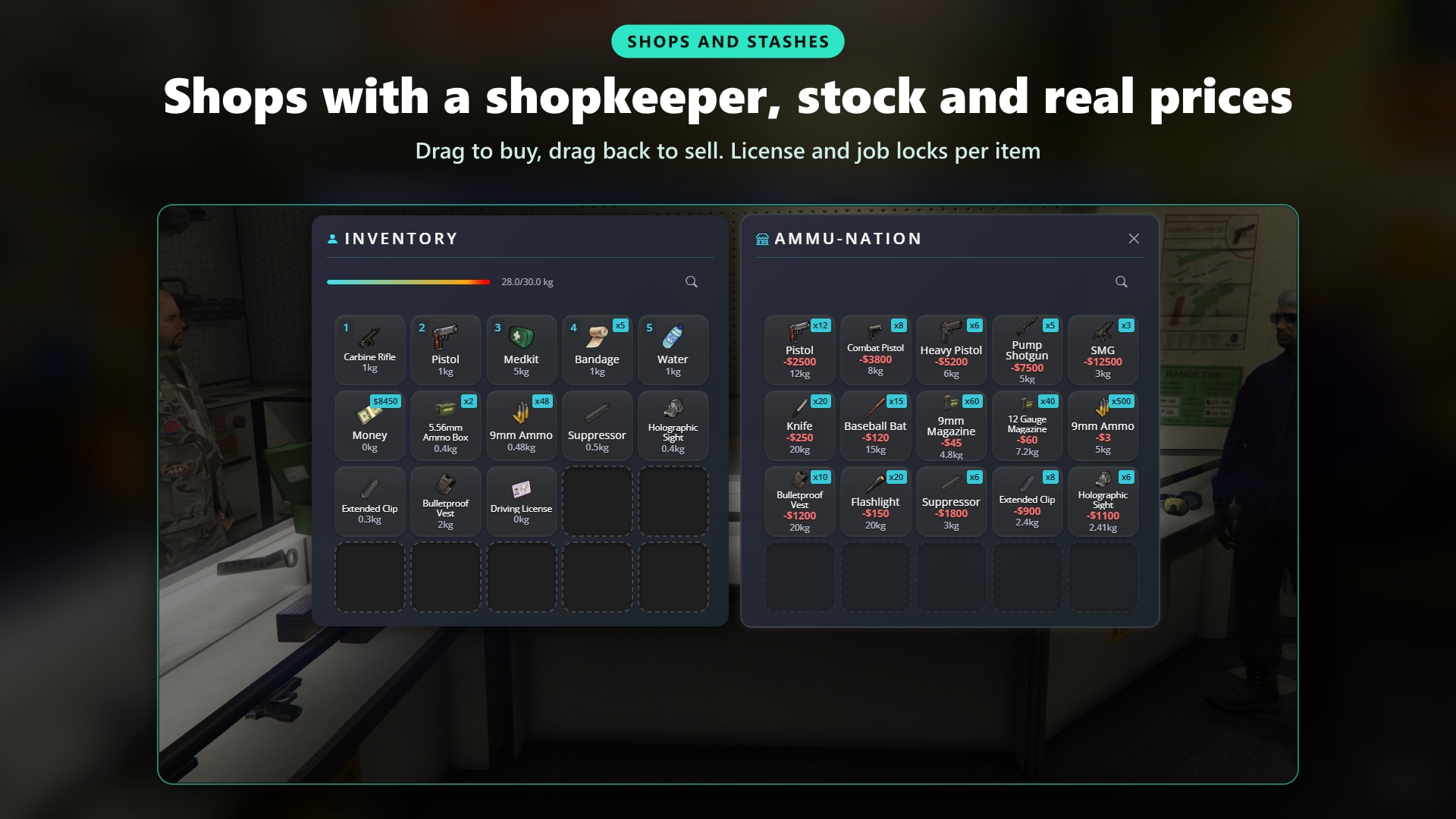
Place them in game, no config files. Shops and stashes are created from the admin panel with their position, ped, marker and blip.
More on Shops and Stashes
- Buy and Sell: Drag from the shop to buy, drag into it to sell, with buy and sell prices per item
- Stock: Limited or infinite quantities
- Accounts: Pay with cash, bank or any account, or the bank when cash is not enough, or let a society pay and earn
- Licenses: Require a license for the whole shop or for single items
- Job and Gang Shops: Restrict a shop to the jobs or gangs you choose
- Private Stashes: One stash per character, or shared by a job or a list of players
- Item Filters: Allow or block items per stash
🍔 Usable Items
Make any item do something, without writing code for the common cases.
- Animations and Props: Pick the animation and the prop in hand, with an editor in the panel
- Progress Bar: Optional, with the player frozen or free to walk
- Status: Hunger, thirst, stress, health and armor
- Consume: Remove one or more on use, or keep the item
- Expiry: Items that expire after a time and become unusable, or disappear
- Armor Vests: The vest shows on the player and comes back with its remaining armor
- Rarity: Colour items by rarity, from uncommon to legendary
- Licenses as Items: Carrying the license item gives the license, losing it takes it away
🎨 Themes & Nexus
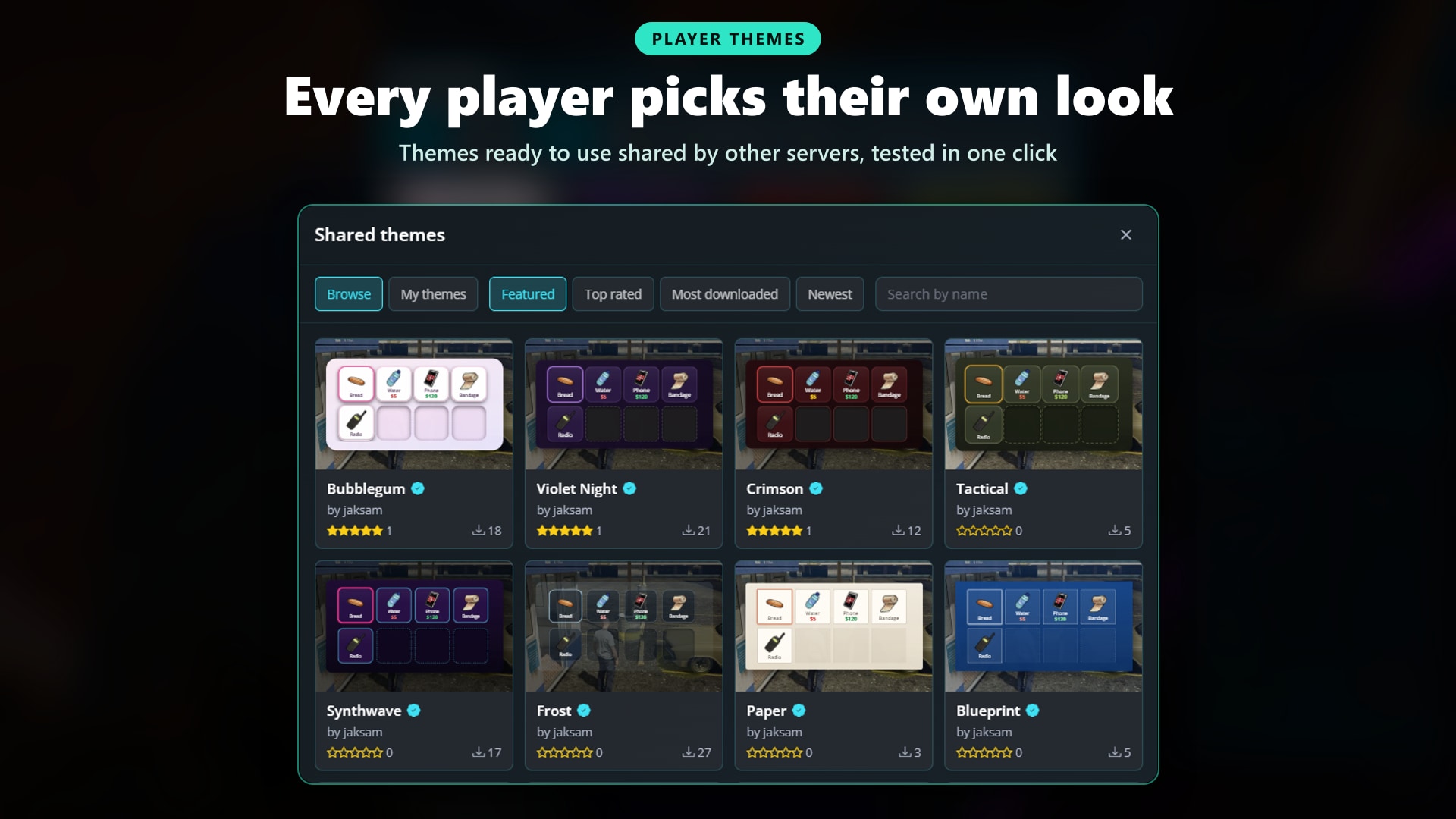
Every player picks their own look. The theme editor changes colours, sizes, corners and fonts with a live preview on the real inventory.
- Theme Editor: Colours, slot size, spacing, corners and title font, saved per player
- Shared Themes: Browse themes made by other servers, sort by rating or downloads, test them with one click and save the ones you like
- Share Your Own: Publish a theme for every server or share it on your server with a short code
- Server Default: Admins turn any theme into the default look of the server, live
- Your Rules: Turn customization, browsing or publishing off if you want one look for everyone
🛠️ Admin Panel
Everything is managed in game with the /inventory command.
- Item Editor: Create, edit and delete items, upload their image and see it live, reset shipped items to default
- 244 Items Included: Food, medical, weapons, ammo, attachments, finishes, armor, backpacks, licenses and more, ready to use
- Shops and Stashes: Created and edited from their own tabs
- Statistics: The most owned items on the server and who holds a given item
- Omnipack: Press F1 with the inventory open to see every item of the server. Search it, drag an item out to give it, drag one back in to delete it
- Open Any Inventory: A player, a stash or a trunk, by id
- Discord Logs: Item additions and removals, with a webhook per action if you want
🛡️ Anti-Abuse
Spot duplicated or injected items before they ruin your economy (beta).
- Every Addition Logged: Each item given to a player is saved with the script that gave it
- Anomaly Chart: Players far above the others show up
- Player Details: The transactions of a player and why they were flagged, unusual quantities or rare sources
🔄 Import & Migration
Bring your server with you. The importer reads the data of the inventory you use today.
- From ox_inventory: Items, player inventories, stashes, shops, weapons and vehicles
- From Quasar, Chezza and TGiann: Items and inventories
- From Your Framework: Items and player inventories, weapon attachments included
- From Code: Paste item definitions and the format is detected automatically
- Nothing Lost: Items that are missing after a change are kept aside and come back when the item exists again
🔌 Compatibility
Works with the resources you already run.
- ox_inventory Exports: Scripts made for ox_inventory keep working, their exports are answered by Jaksam Inventory
- Framework Inventory Exports: The same for scripts made for your framework's inventory
- Targeting: ox_target and qb-target, or classic markers
- Progress Bars and Text UI: ox_lib, the included ones or your framework's own
- Developers: Exports, events and hooks to react to every item added, removed, moved or used, and to cancel it
🌍 Supported Languages
Make your server accessible worldwide. Adding new languages is a breeze.
See All Supported Languages
- 🇬🇧 English
- 🇮🇹 Italian
- 🇩🇪 German
- 🇫🇷 French
- 🇪🇸 Spanish
- 🇵🇹 Portuguese
- 🇳🇱 Dutch
- 🇵🇱 Polish
- 🇨🇿 Czech
- 🇩🇰 Danish
- 🇬🇷 Greek
- 🇭🇺 Hungarian
- 🇱🇹 Lithuanian
- 🇨🇳 Chinese
🛠️ Installation
Installing a script has never been so easy!
How to Install
- Download the script and jaksam_core
- Extract both to resources
- Add
ensure jaksam_inventoryin server.cfg right after your framework, as shown in the documentation - The database is set up automatically
Requirements
Requirements for ESX Version:
- es_extended 1.10.7, 1.11.3+ or 1.14.0+
Requirements for QBCore Version:
- qb-core or qbx_core
Requirements for Both Versions:
- onesync
- jaksam_core
- oxmysql
- ox_lib
🛒 Upgrade Your Inventory Today
📚 Documentation
You can find the script documentation here
ℹ️ Information
Jaksam Inventory uses the official FiveM escrow system, so people without access to your account won’t be able to steal your script!